FarroChrome extension
Keep track of every application without keeping a spreadsheet
Save a job from the posting in about 10 seconds. Farro tells you when to follow up and when you’ve probably been ghosted. Free forever, no job limit, no account.
Coming soon to the Chrome Web Store
How it worksDesktop only. Farro runs in Chrome on a computer, so open this page there to add it.

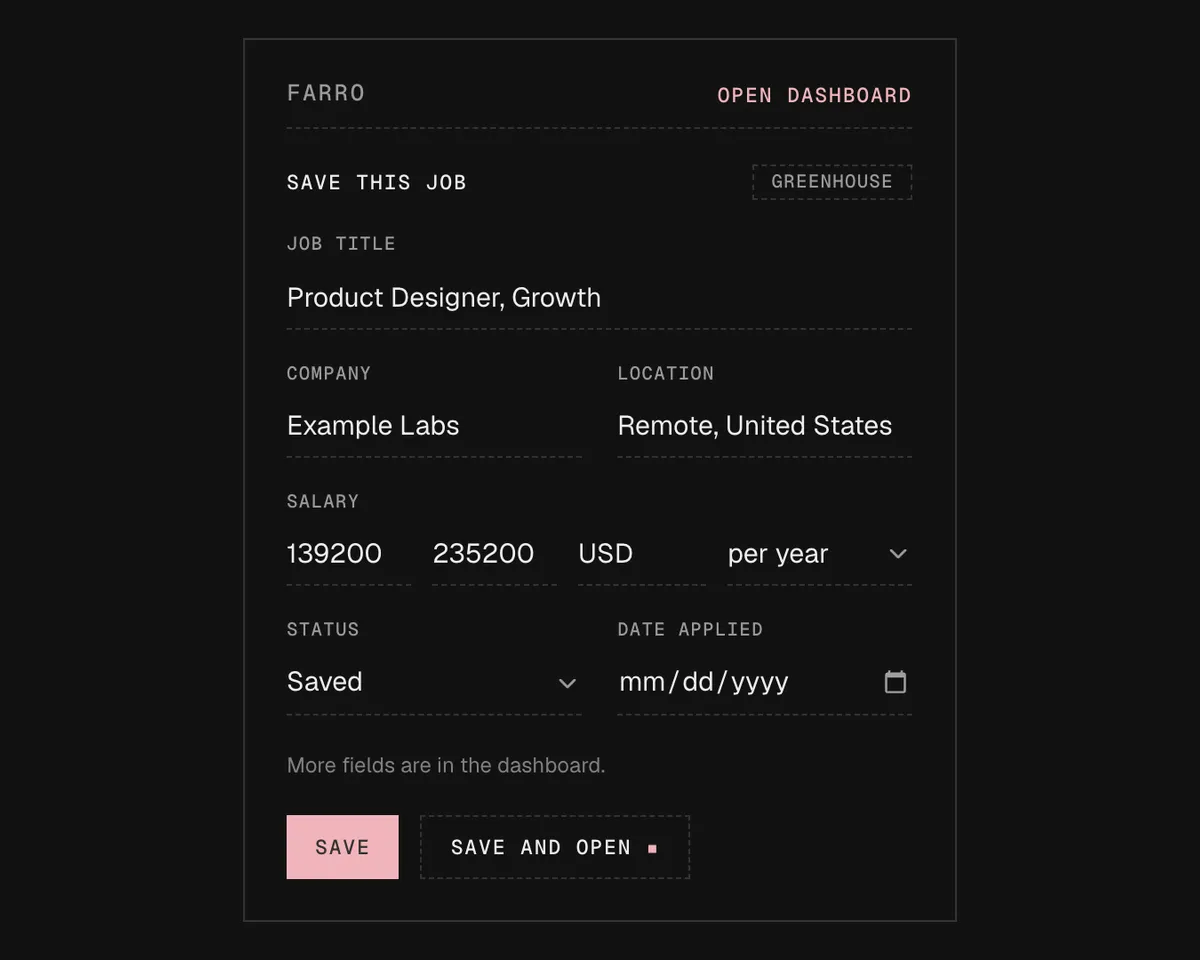
On a job posting for Product Designer, Growth at Example Labs, the cursor clicks the Farro icon. The popup fills in the title, company, location and salary from the page. After Save, the job is the first card in the Saved column of the Farro board, and the cursor drags it to Applied. The Applied count goes from 41 to 42.
Farro reads postings on these seven job boards
From posting to offer on one board
Save it from the posting
Click the Farro icon on a job posting, check the fields, and save. The title, company, location and link are already filled in, plus the salary and workplace type when the posting lists them. Or paste a job link, and Farro reads the posting without opening it. The first time you paste a link from a site, Farro asks for access to that one site.
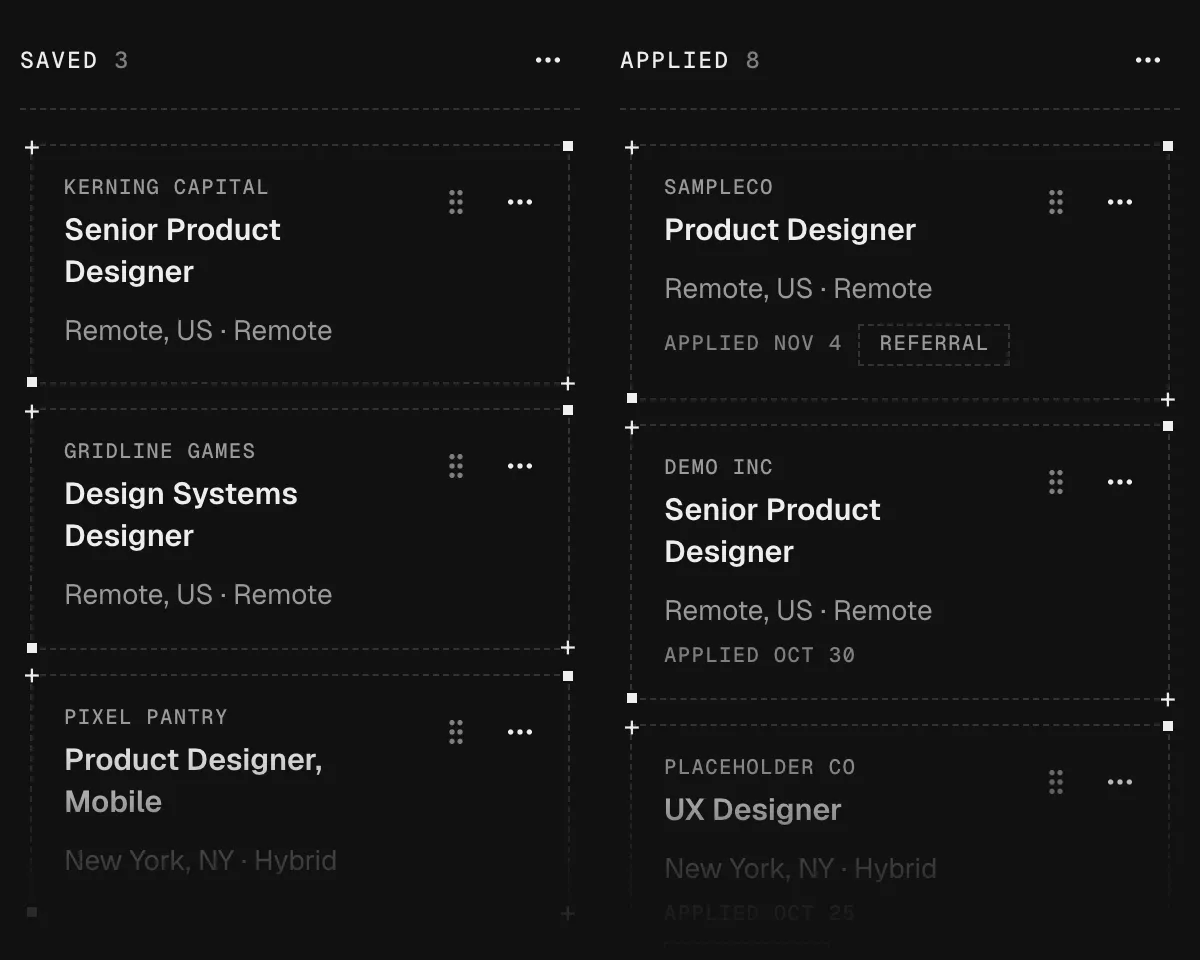
Move it across one board
Jobs move through Saved, Applied, Screening, Interviewing, Final round, Offer and Closed. Rename, reorder or hide any column, or add your own, like Take-home. Drag a card, or move it with its Move to menu or the keyboard. The list view sorts and filters the same jobs like a spreadsheet.
Get a nudge to follow up
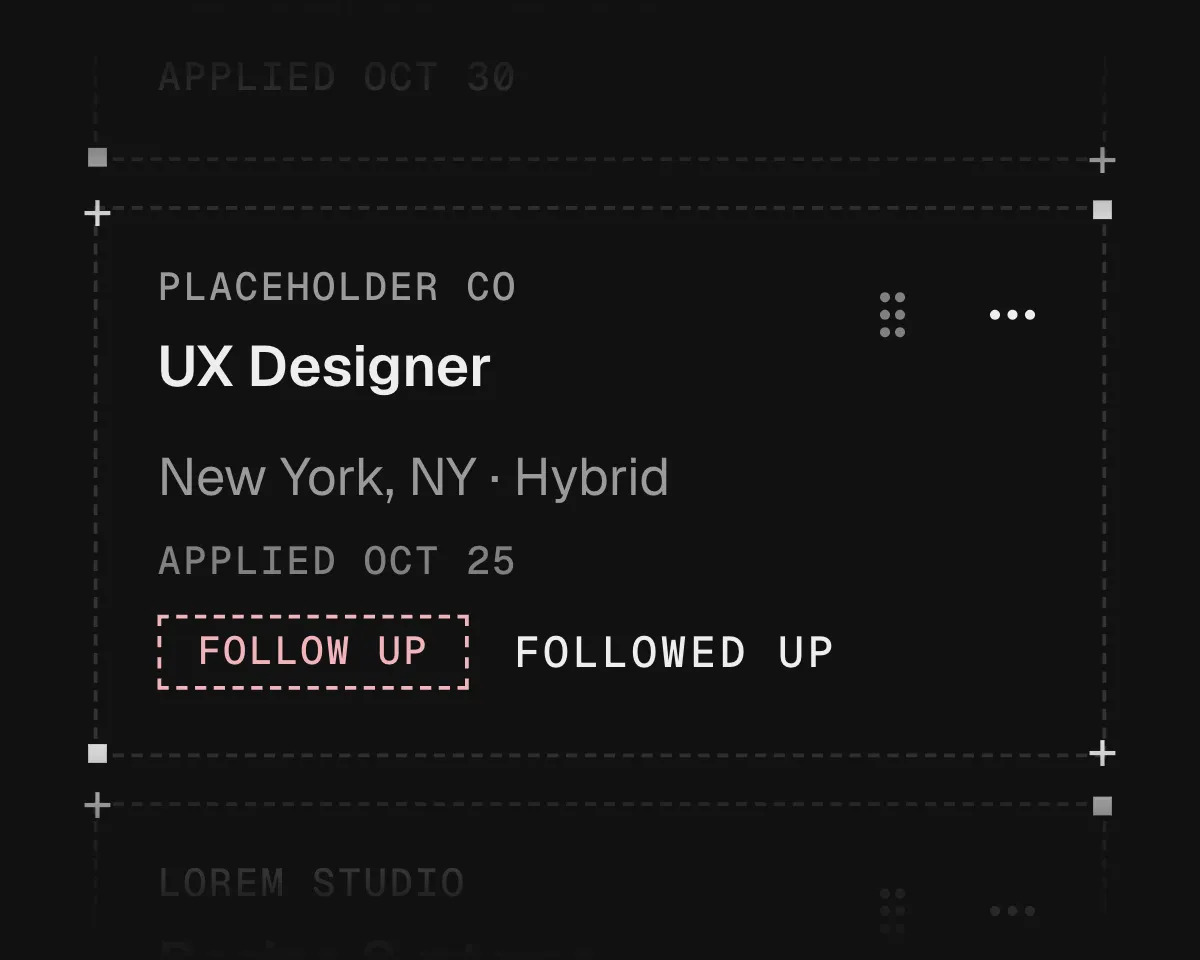
After 7 business days with no change, a card says it’s time to follow up, and the toolbar icon counts how many are due. After 30 quiet days, it asks whether you’ve been ghosted. You can change both numbers.
See your whole search in one picture
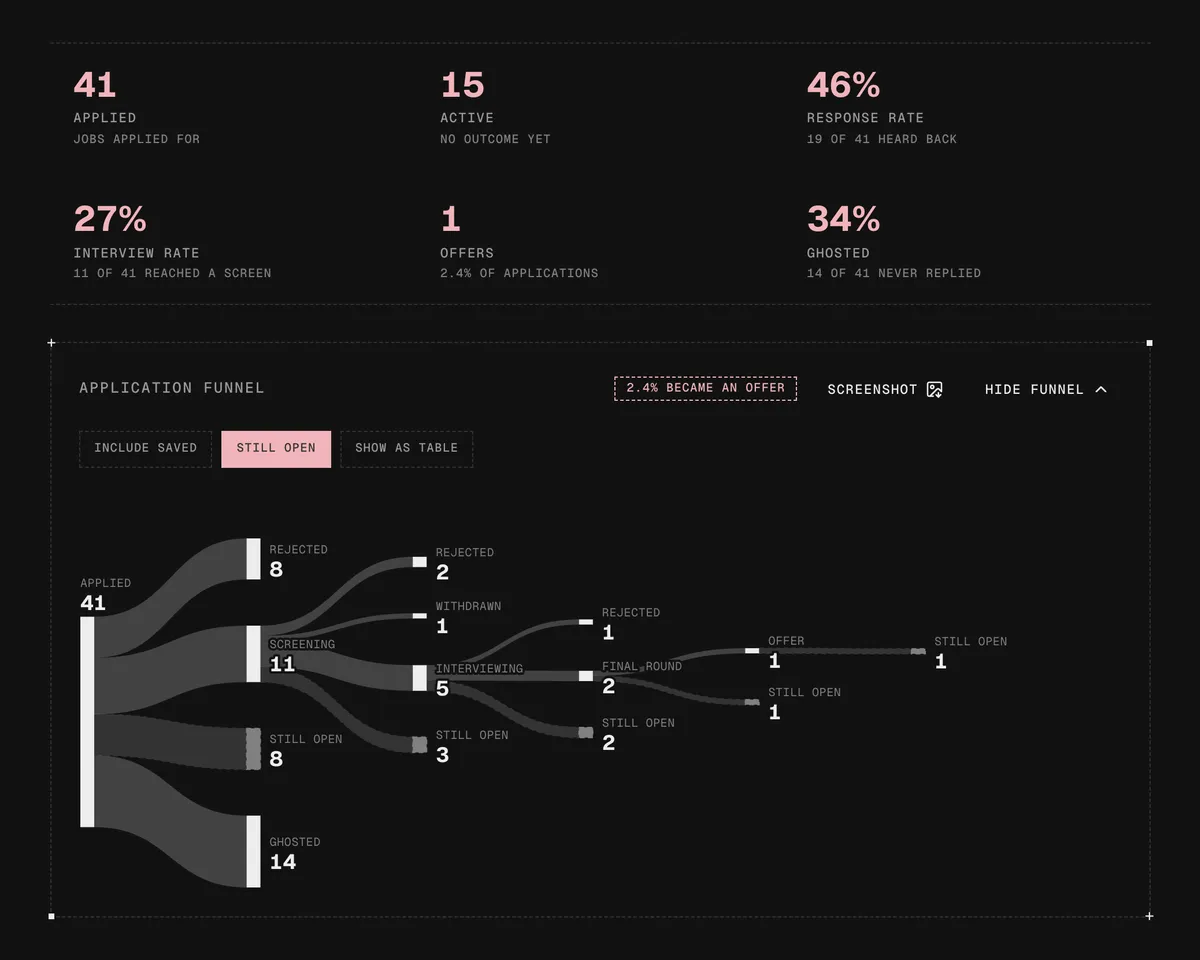
Farro logs every move with its date and turns that history into a funnel, from Applied to Offer. Each rejection sits at the stage where it happened, so you can tell whether jobs drop off at the recruiter screen or the final round. Above it are your response rate, interview rate, offers and ghosted jobs. Pick a date range to count one stretch of your search, or click any part of the funnel to see its jobs.
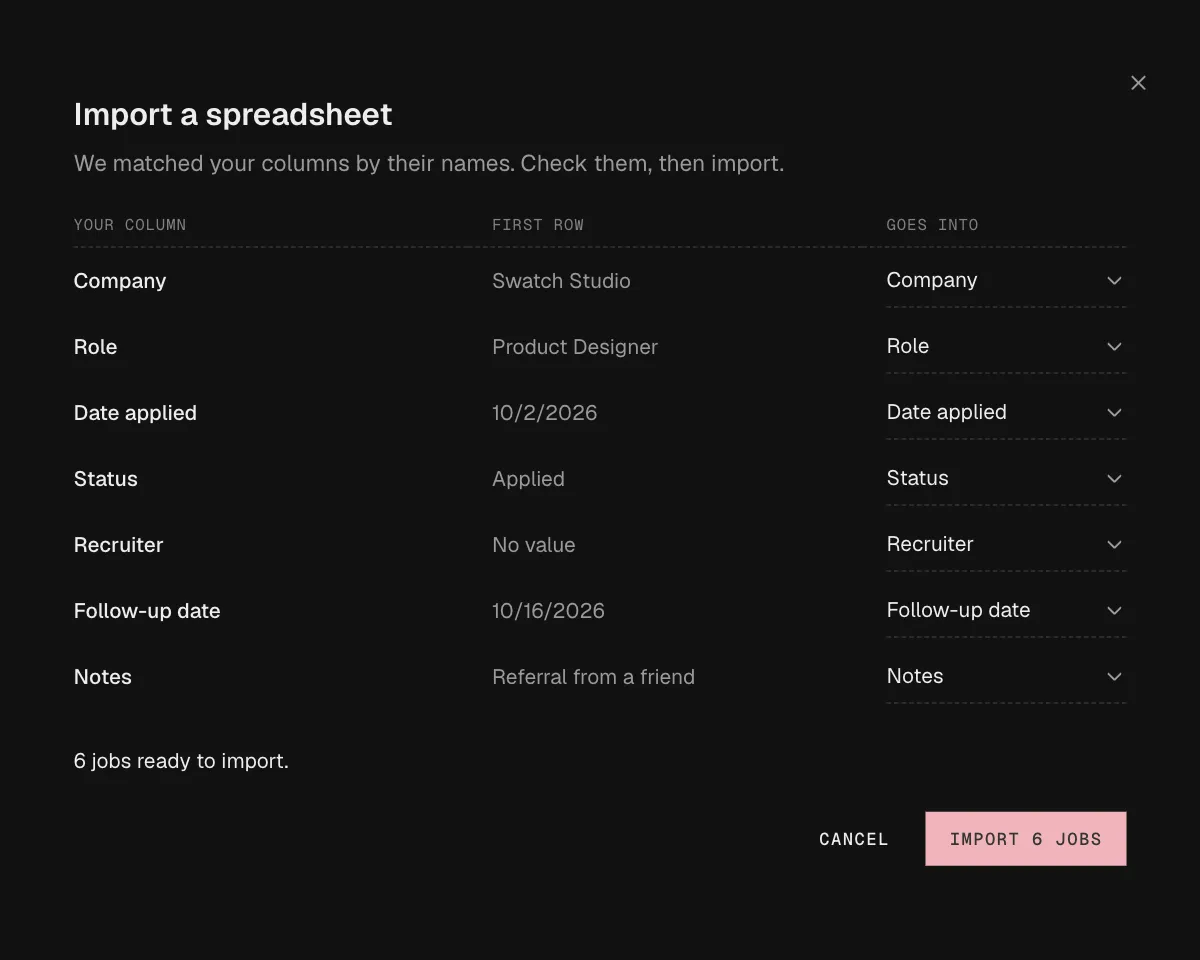
Bring your spreadsheet
Import the CSV you’ve been keeping. Farro suggests a match for each column, shows how many jobs will land, and skips the ones it already has. Export JSON or CSV whenever you want.
Your job search stays on your computer
0 Servers
Your jobs, notes and status history live in your browser, on your computer. Farro keeps no other copy, so export a backup now and then.
0 Accounts
Install it and start. There’s nothing to sign up for.
0 Trackers
The extension has no analytics or telemetry, and neither does this site.
$0 No subscription
Farro costs nothing to install or use, and it never will. Every feature on this page is included.
Questions about Farro
Which browsers does Farro work in?
Chrome, on a computer. Firefox and then Edge are planned after the Chrome launch.
Which job sites can it read?
Greenhouse, Lever, Ashby, Workday, LinkedIn, Indeed and Wellfound, plus any posting that publishes standard job data. Pasted LinkedIn and Indeed links usually save with only the link, because those sites don’t let Farro read them signed out. Open the posting and click the Farro icon to fill in the rest. On any other site, save the title and link, or type the fields in yourself.
Can I import my job application spreadsheet?
Yes. Export your sheet as a CSV and import it from Farro’s settings. Farro suggests a match for each column, such as company, role, date applied, status, recruiter and follow-up date, and shows how many jobs will land before it writes anything.
Where is my data stored?
In your browser, on your computer. Farro has no server, so there’s no copy anywhere else. To move to another browser, export a JSON backup and import it there, and every job, note, status change and setting comes back.
What happens if I remove the extension?
Chrome deletes the extension’s data along with it, so export a backup from the settings menu first. The dashboard shows when you last made one.
Will Farro mark a job as ghosted on its own?
No. A job with no change for 30 days asks “Probably ghosted?” and offers one click to mark it. Nothing moves unless you move it.
What doesn’t Farro do?
It doesn’t read your email, apply to jobs for you, or write your resume and cover letters. You do the applying, and Farro keeps the record.
Does it work offline?
Yes. Everything works offline except reading a pasted link.
Start with the next job you save
Save it, then move the card when you apply and again when you hear back. If you don’t hear back, Farro asks about that too. From your fifth application on, the dashboard draws the funnel from your own jobs, and you can see which stage needs the work.
Coming soon to the Chrome Web Store
Desktop only. Farro runs in Chrome on a computer, so open this page there to add it.